Find out which channels really bring you sales
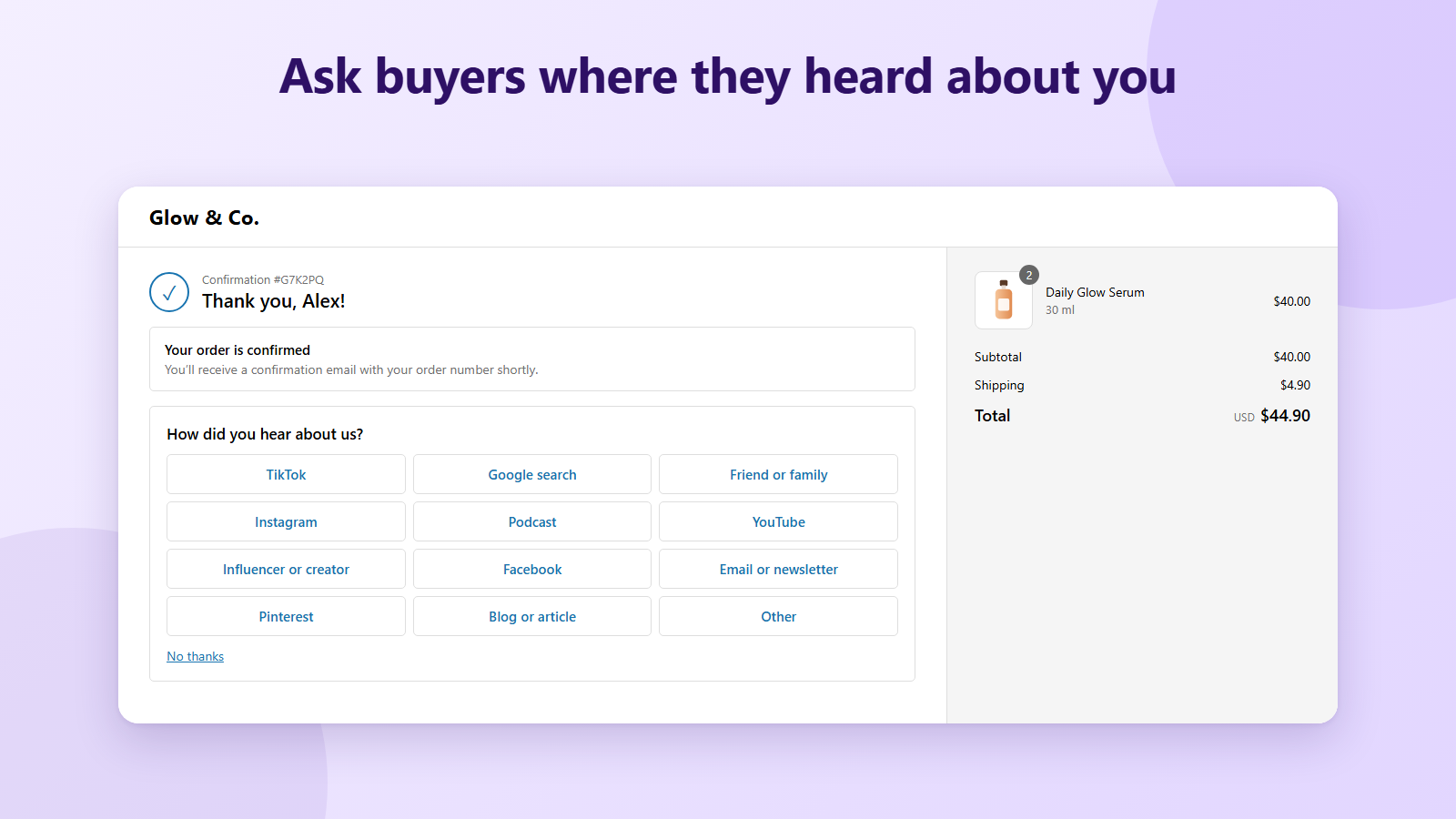
Ask “How did you hear about us?” right after checkout, with one tap to answer. Every answer is saved with its order, so you see responses, share and sales for TikTok, Instagram, podcasts, friends and more.
How did you hear about us?
No thanksEverything you need to learn where buyers come from
Quick to set up, one tap for the buyer, and every answer tied to a real order.
On the Thank you and Order status pages
The survey appears right after the order, when buyers are happiest. It works on every Shopify plan and never asks twice: once an order is answered, the survey is gone.
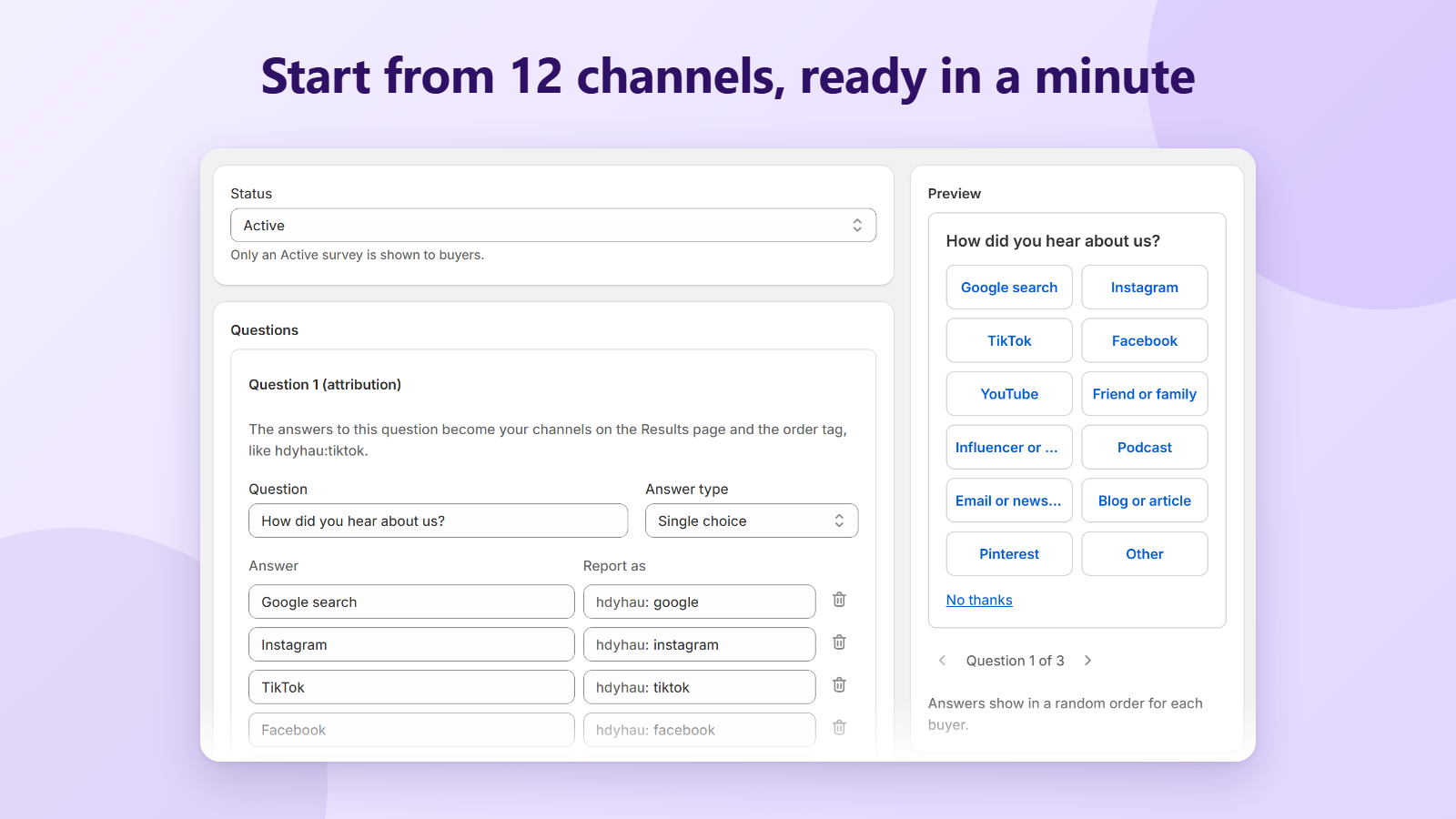
12 ready-made channels
Start from Google, Instagram, TikTok, Facebook, YouTube, friends, influencers, podcasts, email, blogs, Pinterest and Other. Rename them, remove them or write your own.
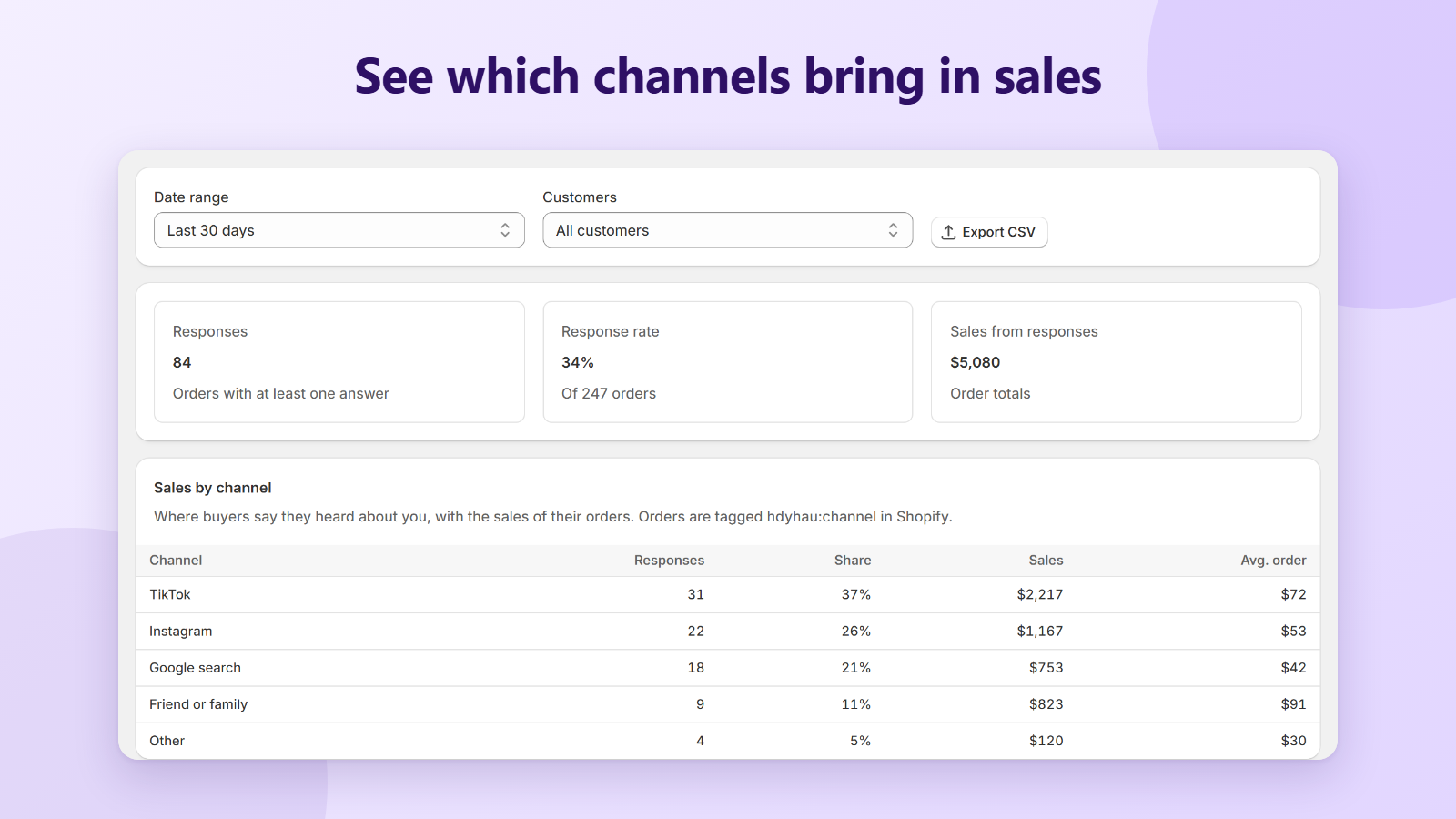
Sales by channel
The Results page shows responses, response rate and sales for each channel, so you can see which ones bring revenue, not just clicks. Filter by date and by new or returning customers.
Orders tagged in Shopify
Each answer becomes an order tag such as hdyhau:tiktok, and the answers are saved on the order. Filter your orders in Shopify admin by where buyers came from.
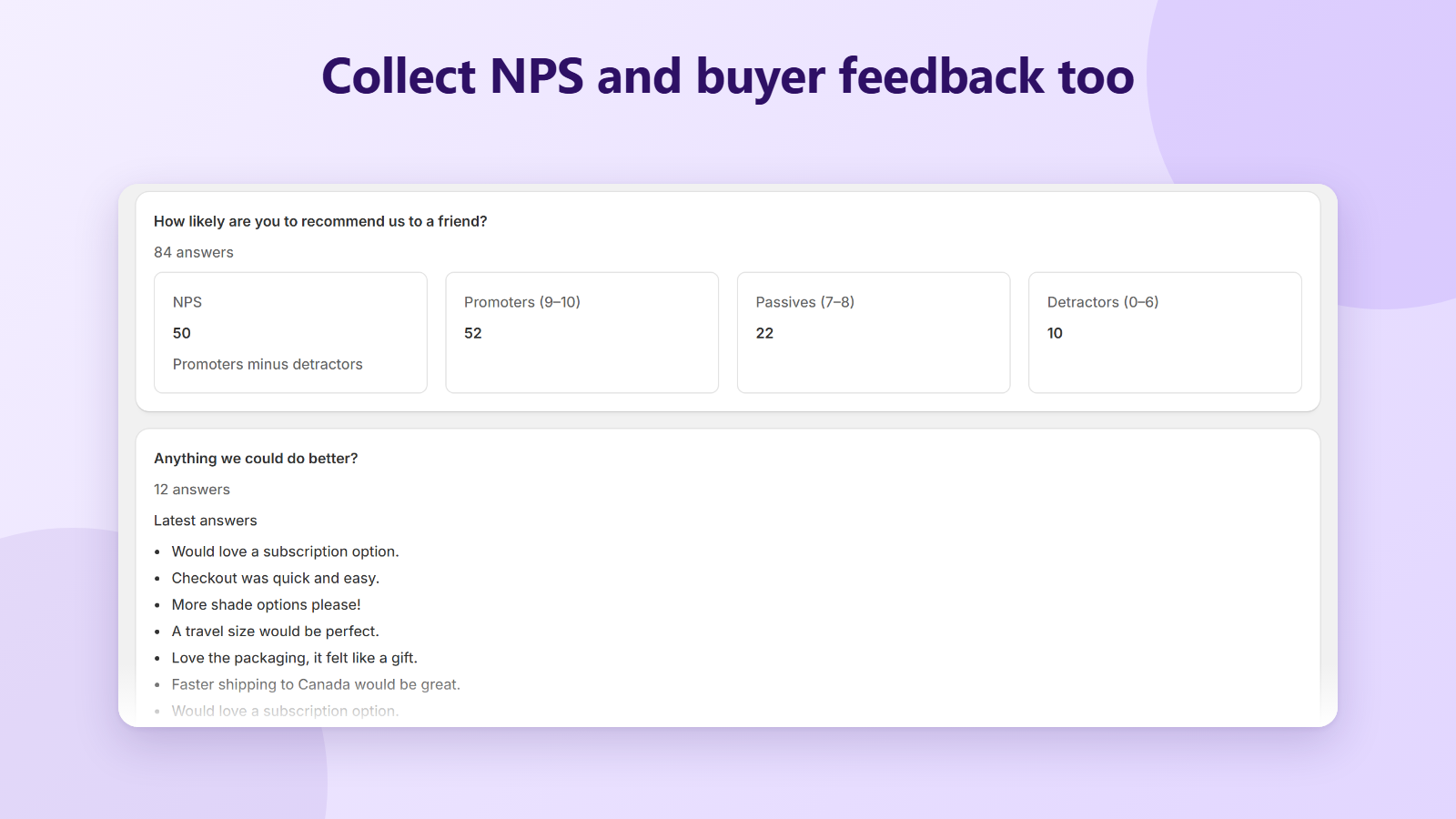
More than one question
Add up to 5 questions: single choice, multiple choice, text, NPS (0 to 10) or a 1 to 5 rating. The first choice question is your attribution question.
Your buyers' language
Translate the questions, answers and thank-you message for each checkout language. The buttons (Submit, Skip) are already translated.
Less bias, more answers
Show the answers in random order so the first one doesn't win by default, and add “Other (please specify)” for everything you didn't list.
Export to CSV
Download the answers with the order name, total and date, and open them in Excel or Google Sheets.
See it in action
Live in three steps
- 1
Install HearAbout
One click from the Shopify App Store. No credit card needed.
- 2
Set up your survey
Start from “How did you hear about us?” with 12 channels, edit it if you like and set it to Active.
- 3
Add the block
In the checkout editor, add the HearAbout survey block to the Thank you page and save. Done.
Free during launch
Every feature is free while HearAbout is in its launch period, with unlimited survey responses. No monthly fee, no credit card.
Questions
Where does the survey show?
On the Thank you page right after checkout, and optionally on the Order status page, so buyers who skipped it can still answer. It is a checkout block, so it works on every Shopify plan.
Does HearAbout slow down my checkout?
No. Your survey is stored in Shopify and the block reads it from there, so the Thank you page doesn't wait for our servers. Our server is only contacted when a buyer submits an answer.
Will buyers be asked twice?
No. Once an order has an answer, the survey no longer shows on that order's Order status page. “No thanks” closes the survey for that visit.
Does it collect customer names, emails or addresses?
No. HearAbout stores each answer with the order ID, order name, total and currency. It doesn't read or store the customer's name, email or address. If a buyer types personal details into a text answer, those are saved as part of that answer.
How do I see which channel an order came from?
Open Orders in your Shopify admin and filter by tag, for example hdyhau:tiktok. The Results page in HearAbout shows the same data as responses, share and sales per channel.
Can I change the channels or ask something else?
Yes. Rename, remove or add answers, change their order, and add up to 4 more questions of any type. Each answer has a report key that becomes the order tag, so you decide what the tag looks like.
Do the answers replace my ad and analytics data?
They complement it. Pixels and UTM links miss word of mouth, podcasts, creators and dark social. A survey answer tells you what buyers remember, and HearAbout ties it to the order's sales.
What happens if I uninstall?
The survey stops showing at checkout right away. The tags and metafields already on your orders stay in your Shopify store. Your HearAbout data is deleted 48 hours after uninstall, as Shopify requires, so export your answers first if you want to keep them.
How do I get help?
Email support@centubo.com. We usually reply within one business day.
More in the help center.